Building a Local Auto-Healer: Integrating Playwright with Ollama
The promise of "Auto-Healing" tests is incredible. A developer changes a button's `id` from `submit-btn` to `btn-primary`, your Playwright test fails, the AI analyzes the DOM context, finds the new button, updates your codebase, and restarts the test. But there is a catch.
The Privacy Problem with Cloud AI
To heal a broken locator, you must send the entire HTML dump of the failing page to an LLM. If you are testing a healthcare portal, a banking app, or proprietary internal software, sending your DOM to OpenAI, Anthropic, or Google via API is often a massive compliance violation (SOC2, HIPAA, GDPR).
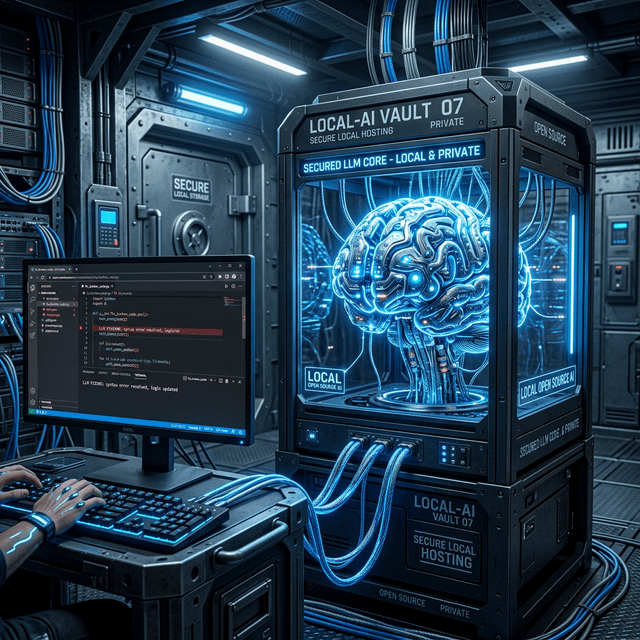
The solution? Host the Large Language Model yourself, right on your CI/CD runner. Welcome to the era of local, open-source AI testing.
The Local Tech Stack
- Runner: Playwright (Node.js)
- AI Engine: Ollama (Running locally on the build server)
- Model: Llama 3 (8B parameters) or Qwen2.5-Coder
Step-by-Step Tutorial
1. Setup & Download Ollama
First, you need to install Ollama, which allows you to run open-source models effortlessly on your local machine.
- Download Ollama from ollama.com and install it for your OS (Windows, Mac, or Linux).
- Once installed, open your terminal and pull a fast, capable coding model. We recommend
llama3for reasoning orqwen2.5-coderfor strict coding tasks. Let's usellama3for this example.
ollama run llama3This will download the ~4.7GB model. Make sure Ollama is running in the background (a tray icon will appear).
2. Writing the Playwright Script
Now, let's create a custom Playwright utility that catches a timeout, sends the DOM to our local Ollama API, and retries the action. Create a file named autoheal.spec.ts.
import { test, expect, Page } from '@playwright/test';

// Utility function to call local Ollama API
async function askOllama(prompt: string): Promise<string> {
  const response = await fetch('http://localhost:11434/api/generate', {
    method: 'POST',
    headers: { 'Content-Type': 'application/json' },
    body: JSON.stringify({
      model: 'llama3',
      prompt: prompt,
      stream: false
    })
  });
  const data = await response.json();
  return data.response.trim();
}

test('Auto-Healing Form Submission', async ({ page }) => {
  await page.goto('https://example.com/login');

  const oldLocatorStr = '#legacy-submit-btn'; // Purposely broken locator
  const intendedAction = "Click the 'Login' button";

  try {
    // Attempt the action with a strict, short timeout to trigger failure quickly
    await page.locator(oldLocatorStr).click({ timeout: 2000 });
  } catch (error) {
    console.log('🔴 Locator failed! Attempting AI auto-healing...');

    // 1. Get the minified DOM (stripping large, irrelevant tags)
    const domSnapshot = await page.evaluate(() => {
        const clone = document.body.cloneNode(true) as HTMLElement;
        const removeTags = ['script', 'style', 'svg', 'path'];
        removeTags.forEach(tag => clone.querySelectorAll(tag).forEach(e => e.remove()));
        return clone.innerHTML;
    });

    // 2. Build the exact prompt for Ollama
    const prompt = `
      The locator "${oldLocatorStr}" failed.
      The user intention is: "${intendedAction}".
      Here is the minified HTML of the page:
      ${domSnapshot}
      Analyze the HTML and provide a correct Playwright locator string (either CSS or text) to accomplish the intention.
      Reply ONLY with the exact locator string, no markdown, no quotes, no explanation.
    `;

    // 3. Ask local AI for the new locator
    const newLocatorStr = await askOllama(prompt);
    console.log(`🟢 AI Suggested New Locator: ${newLocatorStr}`);

    // 4. Retry with the healed locator
    await page.locator(newLocatorStr).click();
    console.log('✅ Auto-healing successful!');
  }
});
3. How to Run
Execute your test exactly how you normally would. The auto-healing mechanism operates natively within Node.
npx playwright test autoheal.spec.tsWhen the script encounters the bad #legacy-submit-btn locator, it will pause for about 3-10 seconds while your local GPU/CPU processes the HTML prompt via Ollama. It will then spit out the correct locator (e.g., button:has-text("Login")) and proceed.
4. Troubleshooting & Limitations
Connection Refused (ECONNREFUSED)
If your test throws a connection error when fetching localhost:11434, the Ollama background daemon is not running. Launch the Ollama app on your machine or run ollama serve in a separate terminal.
AI Returns Conversational Text
Sometimes smaller LLMs (like an 8B model) will ignore instructions and reply: "Sure, here is your locator: #btn" instead of just #btn. If this happens, try adding post-processing logic to your askOllama function (e.g., using regex to extract quotes or brackets) or use a more strictly instructed system prompt.
Slow Healing Times
Local LLMs are hardware dependent. If you do not have a dedicated GPU (like an M2/M3 Mac or an Nvidia RTX card), CPU inference can take 15+ seconds per heal. For CI/CD runners without GPUs, consider using an extremely lightweight model like qwen2.5-coder:1.5b.
Conclusion
By integrating Ollama directly into your Playwright architecture, you achieve a self-healing automation suite that costs nothing to run and never leaks your proprietary DOM structures to third parties. It requires a bit more hardware to run locally, but the security and stability benefits for enterprise environments are unmatched.
About the Author
Vishvas Dhengula — Lead SDET
Vishvas is a highly accomplished Software Development Engineer in Test (SDET) with 15+ years of experience architecting enterprise test automation frameworks for Fortune 500 companies across the United States and India. His expertise spans across a wide range of industry-leading automation tools, including UFT, Selenium, Cypress, Protractor, and Playwright.
Want to see the code?
Explore our technical sandbox to see real code examples of connecting Playwright to Local LLMs.